

Find the wording the company actually uses
Policies, quotes, and customer language are buried in drives and chat. Ask from your role. The agent searches only what you are allowed to see, and gives you an answer you can use.
 Aure.ink
Looking something up still means asking a colleague. Reports still start from a blank page. When someone leaves, the way you work leaves with them. Aureink hands your files, roles, knowledge, and processes to a desktop agent. Every role can use that shared memory, and put new methods back. Manufacturing, education, retail, and professional services swap skill and knowledge packs. Permissions, audit, and deployment stay the same.
Aureink is organization-only. Installing the app is not enough — you need platform access approval and an organization membership before Desktop work begins.
Requires macOS 13 Ventura or later, or 64-bit Windows 10 1809 (build 17763) or later, so Aureink can run tasks reliably in your system’s built-in secure environment.

What it solves
If it cannot find the company's real answer, write something you can hand over, or keep the method when someone leaves — it is not useful yet.
Policies, quotes, and customer language are buried in drives and chat. Ask from your role. The agent searches only what you are allowed to see, and gives you an answer you can use.
Weekly reports, proposals, meeting notes, follow-up lists — drafted from your files and process, not from a blank chat window. You edit. You confirm.
Templates, caveats, and how-we-do-it notes can go back into the company knowledge base. New hires should not have to reconstruct someone else's chat history.
The knowledge base is not a librarian's job. Sales, support, and ops do their own work. Useful wording and conclusions can be returned for the next person.
Three moves: take what your role is allowed to see, finish the work, leave the method for the next person.
Files, knowledge, and skills follow the job. You do not get the whole company dumped into a chat.
Sort materials, write the report, list follow-ups. You can stop, edit, or confirm before anything goes out.
Wording, templates, and conclusions can go into the knowledge base — so the next role does not start from zero.
Product
Finish the job for this role first: find the real wording, write the deliverable, chase the follow-up. Then put useful methods back into the company knowledge base. This is not another personal chat window.
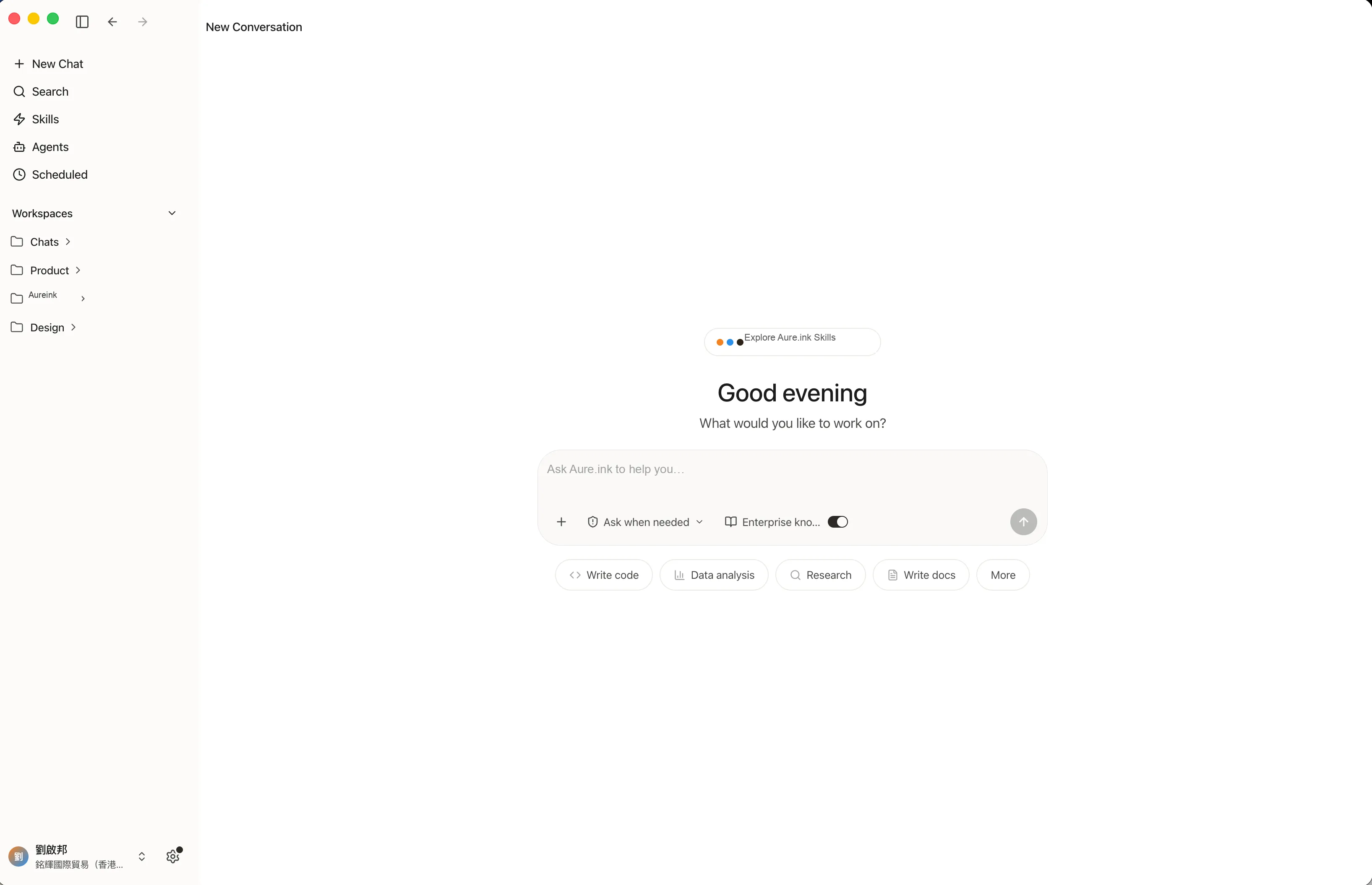
Ask for an outcome, not a prompt. For example: “Turn these customer feedback files into a weekly report with key issues and follow-up actions.”
Aureink reads and processes files within approved folders and workspaces, based on the access rules your company defines.
Use Skills to connect data processing, reporting, messaging, internal systems, and repeatable business workflows.
Generate reports, tables, charts, summaries, diagrams, email drafts, and workflow outputs your team can review and edit.
See which files were used, what steps were taken, which tools were called, and what outputs were produced.
Start with domestic cloud, use dedicated mainland infrastructure, or plan a private deployment for stricter data and compliance requirements.
Industries
Not a single-vertical product. Manufacturing, education, retail, and professional services swap skill and knowledge packs. Permissions, audit, and deployment stay one model.
Turn work orders, quality notes, and supplier letters into reviewable reports and follow-ups.
Campus or training-group operations: knowledge spaces, staff workflows, and auditable assistant use.
Store dailies, customer complaints, and HQ briefings become structured actions instead of chat logs.
Contracts, memos, and client files stay inside permissions — with a trail of what the agent used.
Reports, policy Q&A, and internal circulars run on the same deployment and audit model.
Use cases
Turn meetings, project notes, spreadsheets, and messages into executive summaries, risks, and next steps.
Group feedback by issue type, identify recurring themes, and create charts and follow-up lists.
Classify incoming messages, suggest responses, identify complex cases, and route work to the right team.
Extract key clauses, compare versions, and flag items for human review.
Summarize account context, prepare follow-up emails, and turn conversations into next actions.
Collect public signals, summarize movements, and create regular intelligence briefs.
Bring together tasks, documents, updates, and risks so teams can stay aligned.
Capture reusable context such as templates, project background, customer language, and team preferences.
Built for teams that need company knowledge in daily work — with permissions and an audit trail the business can stand behind.




A personal chatbot remembers your conversation. Aureink remembers the company: who can see what, which role does which work, and what sits in the knowledge base. After sales uses a customer line, support uses a handling method, or ops uses a weekly template, that can go back in. The next person does not start by asking around. Different industries swap packs. The permission, audit, and deployment model does not.
One company memory. People take from it according to their role.
Methods land in the knowledge base. They do not walk out with the person.
Which files were used, how the work ran, what came out — still there to check.
Deployment
Organizations differ in data residency, infrastructure, system access, and compliance. Aureink gives teams a practical path from a fast pilot to a controlled rollout.
For organizations that need clearer data residency within mainland China.
For teams that want to start quickly, control cost, and validate impact before scaling.
For organizations with strict data, network, and compliance requirements. Plan models, compute, and system access inside your own environment.
ChatGPT knows your conversation. Aureink knows the company: files, roles, the knowledge base, and processes. It works from your job, and useful methods can go back for the next person.
No. The core is shared: organization, roles, knowledge, Skills, permissions, and audit. Industry differences are packs of workflows and materials — education is one example, not the product.
Because companies do not just need AI that can act. They need to know what it accessed, why it produced an output, and whether the process can be reviewed later.
Yes. Teams describe the outcome they need. Access, deployment, data boundaries, and Skills can be configured by the organization.
Reports, summaries, tables, charts, diagrams, email drafts, workflow outputs, and structured follow-up lists.
Aureink works with approved files and workspaces. Access can be configured by team, role, folder, workspace, task type, or Skill.
Yes. Depending on configuration, teams can keep records of inputs, steps, tool calls, approvals, and outputs for review and audit.
Aureink supports domestic public cloud, dedicated mainland compute, and private deployment for stricter data or compliance requirements.
Most teams do not. Aureink provides model access, compute, and orchestration. Dedicated models or custom infrastructure can be planned for special requirements.
You can download the installer anytime. To sign in, your email needs platform access approval (or an invite). After login, you must join or create an organization — Aureink does not offer a personal workspace.
Choose the path that matches your role. Downloading the desktop app is usually the last step, not the first.
Channel customers typically begin with an invite from their partner or organization owner.
You received a member or owner activation link from your organization or channel partner.
Decision-makers and pilots: request platform access, then create your organization in Console.
Read how organizations, roles, Skills, and channel delivery work before you install.
Requires macOS 13 Ventura or later, or 64-bit Windows 10 1809 (build 17763) or later, so Aureink can run tasks reliably in your system’s built-in secure environment.
Organization membership is required. Industry delivery packs are opened through your channel partner or sales contact — not self-service from the download page.